


Coloring & Learn
4.21.58K Reviews
App Specs
- Version
- 2.26
- Updated On
- License
- Free
- Downloads
- 100,000,000+
- Developer
- Orange Studios Games
- Categories
- Educational
- Platform
- Android, iOS
Screenshots
 Analysis by AppCompare
Ever had one of those days where you just want to kick back, relax, and let your creativity flow? Well, that's exactly where Coloring & Learn comes into play. If you're like me, and sometimes need a little digital escape, this app is a brilliant companion to have on your device.
A gentle start with room to choose
Coloring & Learn is a free educational game from Orange Studios Games, and its appeal is easy to understand: it brings coloring and simple learning activities together in one place. I see its strongest use as a low-pressure activity for children who enjoy drawing, or for a parent looking for something creative to offer during a quiet stretch at home. It is rated for Everyone, though that broad age label does not mean every activity will suit every child equally; younger users may still benefit from an adult nearby.
The first few minutes are best treated as a chance to let a child explore rather than as a task to complete. There is no need to turn each page into a lesson or to insist that every picture be finished. Letting a child choose what to color gives them a small, immediate goal, while switching to an educational activity can add variety when their interest in one picture fades. That simple rhythm is more useful than trying to keep them at the screen for a long session.
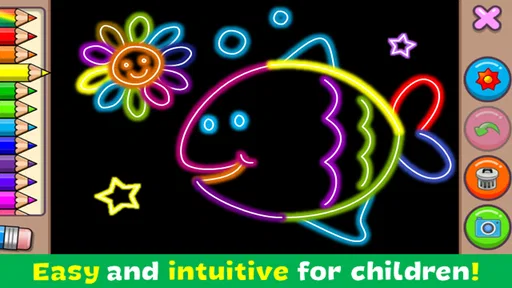
The first thing that struck me about Coloring & Learn is how user-friendly it is. As soon as you fire it up, you’re presented with an intuitive interface that even the least tech-savvy among us can navigate with ease. It’s like opening a box of crayons, but without the mess!
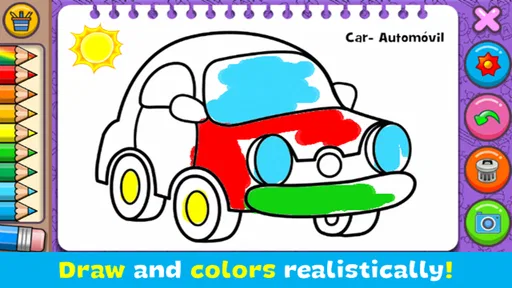
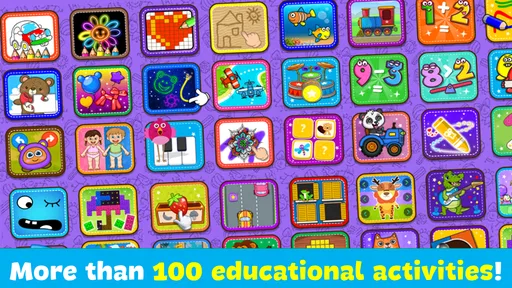
One of the coolest features is the vast array of coloring pages. We're talking everything from adorable animals and enchanting landscapes to intricate mandalas that will make your artistic heart skip a beat. Trust me, you won't run out of options anytime soon. Plus, they keep updating the library with fresh content, so there’s always something new to explore.
Small goals make the activities easier to enjoy
For a child, a useful early goal can be as simple as choosing a picture, filling in a few areas, and deciding whether to keep going or move on. That kind of self-directed play makes the app easier to bring out during a short break than a game built around long levels or a demanding sequence of tasks. I would avoid presenting it as a race to finish pages: the appeal is in experimenting with color, not in clearing a checklist.
In educational activities, a parent can make the screen time more interactive by asking the child to name a letter, count objects, or talk about the colors they have picked. This turns a brief activity into a shared conversation without requiring a formal lesson plan. It also helps adults notice whether a child is engaged by the learning prompt or would rather return to free coloring. The better choice can change from one day to the next.
Worth Reading Before You Choose

Baby Panda World Brings Quick Play to Modern Phones, but Its Game Library Feels Busy

ESPN’s Live Game View Makes Following Close Games Easier

QuizzLand Review: A Good Fit for Short Trivia Breaks, Not Every Player

Basketball Stars: Multiplayer Is Fast, but Can It Recover When Matches Go Wrong?

WEBTOON Turns Phone Updates Into a Better Reading Routine

Link to Windows Runs on Shared Habits, Not Social Feeds
Learning, tools, and a comfortable pace
I look at how Coloring & Learn’s mix of coloring and simple learning can support short, child-led sessions, and where an adult’s guidance makes the experience more useful. I’ll also consider how its creative tools affect the pace: giving a child room to experiment can be more valuable than pushing them to finish every picture.
Educational Twist
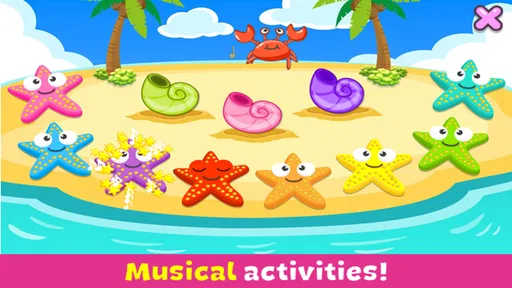
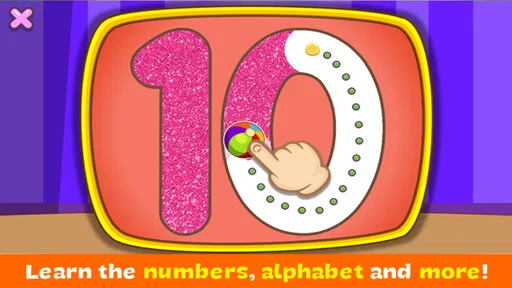
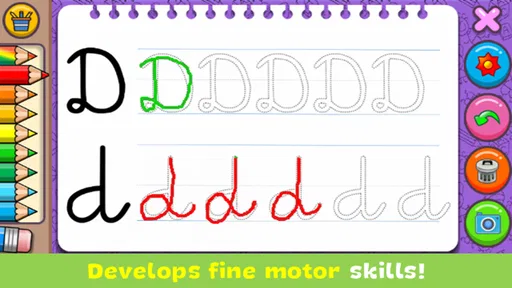
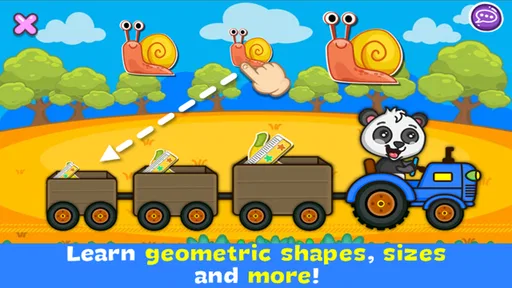
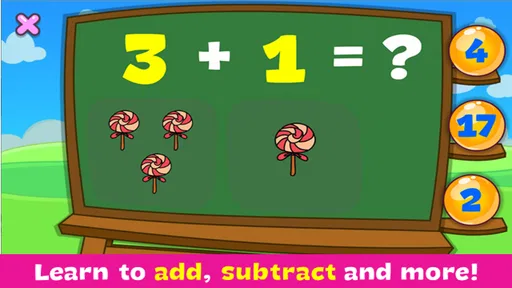
Now, here’s where it gets even better. Coloring & Learn is not just about the fun of coloring. It cleverly integrates educational elements that are perfect for the little ones. Think of it as sneaking veggies into a delicious smoothie. Kids can learn about numbers, letters, and even basic math while they color. It’s truly a win-win!
The app includes interactive activities that engage children in a way that traditional coloring books just can’t. For instance, there are sections where kids can learn the alphabet or count while painting fish in the sea. It's like having a mini classroom on your phone!
That combination is a real distinction from an ordinary coloring app, where the main activity is usually making a picture, and from a paper book, which cannot respond with interactive tasks. It is not a replacement for a workbook or a teacher, though. I would use it as an occasional way to make letters and counting feel more playful, then move away from the screen when a child needs hands-on practice, conversation, or a longer structured lesson.
A practical routine is to choose one activity before handing over the device, then let the child decide how much coloring to do around it. If the learning prompt holds their attention, follow it; if it does not, there is no need to force the educational angle. This keeps the experience relaxed and avoids making a creative game feel like homework. The best outcome is often a few minutes of engaged play rather than a long session.
Tools that invite experimentation
Let’s talk tools. The app offers a fantastic range of brushes and colors. You can switch from a pencil to a spray can, or even a magic brush that adds a little sparkle to your masterpieces. Feeling adventurous? Try the gradient tool and watch your art pop with depth and dimension.
One feature I found particularly nifty is the undo button. Made a mistake? No worries. Just tap undo, and you’re back to where you want to be. It's like a digital safety net for your creativity. And if you’re really proud of your work, there’s a handy share button to show off your art on social media. Who knows, you might just inspire someone else to start coloring!
For a younger child, I would introduce one tool at a time rather than demonstrating everything at once. A pencil-like brush is an easy place to start; effects such as spray or gradient can come later, once the child has a picture in mind. The undo option also changes the feel of digital coloring: a child can test a color choice without worrying that one slip ruins the page. That freedom can encourage experimentation, though it may also lead to lots of quick changes instead of careful coloring.
The share option is best treated as an adult-controlled choice, especially when a child is using the device. Saving the pleasure of showing a finished picture to someone nearby can be just as satisfying, without making public sharing part of the activity. I would focus on the drawing itself, not on whether it gets posted or earns a reaction. That keeps the creative goal in the child’s hands.
Difficulty, attention, and alternatives
Coloring is naturally flexible: a beginner can pick colors freely, while a more confident child can spend time on finer details or try different brush effects. That gives the activity a gentler difficulty curve than games where progress depends on winning or mastering increasingly hard stages. The trade-off is that children who want clear challenges, scores, or a strong sense of advancement may find the open-ended pace too loose. It is more suited to making and exploring than to testing skill.
Against a paper coloring book, the digital format offers a wider range of tools and the convenience of carrying many activities on one device, but it lacks the physical feel of crayons and paper. Compared with a general drawing app, the educational activities make this a more guided option for younger children, though a dedicated art program may suit someone who wants deeper control over a finished illustration. I would choose based on the child’s aim: relaxed coloring and simple learning here, physical craft for tactile play, or a more capable drawing tool for serious digital art.
One realistic use is a parent bringing the game out while waiting for food at a café or during a quiet moment before an appointment. A child can start with a picture, try a few colors, and switch activities if interest drops. It is a handy alternative to carrying coloring supplies, but I would not count on it to occupy a child for a whole outing. Short, supervised turns are a better fit than expecting the app to solve every moment of restlessness.
Coloring On-the-Go
Accessibility is another strong suit of this app. Whether you’re on a quick coffee break or on a long train ride, Coloring & Learn makes it easy to pick up where you left off. It doesn’t require a constant internet connection, which is a godsend when you're on the move. Plus, the app runs smoothly without any annoying lags.
It’s also worth mentioning that the app is available on both Android and iOS, so no matter your device, you’re covered. Just download, and you're all set to dive into a world of colors.
For Android users, the current version is 2.22 and requires Android 6.0 or later. The game has been available since July 19, 2016, and its reach is reflected in more than 100 million installs, alongside an average rating of 4.2 from around 287,000 ratings. Those figures suggest broad appeal, but they cannot tell you whether a particular child will enjoy the balance between coloring and learning; a brief try together is still the most useful test.
The game is free to start, with in-app purchases listed at $3.49 per item. I would keep that in mind if a child uses the device independently: check the purchase settings on the device and make expectations clear before handing it over. The presence of optional purchases does not make the core idea unsuitable, but it is a practical reason to set boundaries in advance rather than interrupt a pleasant activity with an unexpected buying decision.
Who it suits, and when I would choose something else
I would recommend trying it with children who like pictures, enjoy choosing colors, and respond well to short, playful learning prompts. It can also work for an adult who wants uncomplicated coloring rather than a feature-heavy creative studio. I would skip it for a child who strongly prefers tactile materials, for someone seeking a structured curriculum, or for an older budding artist who needs precise tools and a more demanding creative challenge. In those cases, paper activities, a dedicated learning resource, or a fuller drawing app may be a better match.
For a first visit, sit with the child, let them choose between coloring and a learning activity, and notice which one holds their attention without prompting. On another occasion, offer the tool they have not tried or invite them to explain the picture they made. This small approach helps you judge whether the game is genuinely engaging for them, rather than relying on its broad educational label or popularity alone.
Wrapping It Up
In a nutshell, Coloring & Learn is an absolute gem. Whether you’re a kid or just a kid at heart, there’s something incredibly satisfying about filling in those blank spaces with vibrant colors. It’s a fantastic way to unwind, learn, and let your imagination run wild.
If you’re looking for a creative outlet that combines fun and education with the simplicity of a coloring book, this app should definitely be on your radar. So, what are you waiting for? Grab your digital brush, and let’s get coloring!
My final view is positive, with a clear caveat: the game’s best progression is the child’s own movement from choosing a picture to trying a tool, noticing a letter or number, and deciding what to do next. It does not need a strict challenge ladder to make a short session worthwhile, but that relaxed structure will not satisfy every player. At no cost to begin and with an Everyone rating, it is easy to explore together; just keep purchases and sharing under adult guidance, and choose a different option when the child needs physical craft, deeper instruction, or more advanced art tools.
Pros
- Variety of coloring pages available.
- Simple and intuitive user interface.
- Encourages creativity in children.
- Regular updates with new content.
- No intrusive ads during use.
Cons
- Limited free content available.
- Some features require in-app purchases.
- Occasional lag on older devices.
- No offline mode available.
- Limited color palette options.
FAQs for Coloring & Learn
What is Coloring & Learn, and how does it work?
Coloring & Learn is an educational app designed for children that combines creativity with learning. It offers a wide range of coloring activities and interactive elements. Kids can choose from various themes like animals, vehicles, and more. The app encourages artistic expression while teaching concepts like numbers and letters through engaging games.
Is Coloring & Learn suitable for all age groups?
Yes, Coloring & Learn is specifically designed to cater to children of different age groups. It offers varying levels of difficulty and themes to engage young minds. From toddlers to older kids, the app provides age-appropriate content that helps in developing fine motor skills and enhancing creativity.
Does Coloring & Learn contain in-app purchases or ads?
Coloring & Learn offers both free and premium content. While the basic version includes a good variety of activities, there are in-app purchases available for additional themes and features. It’s important for parents to monitor purchases, as the app may also contain ads that can be removed with a premium version.
Is internet access required to use Coloring & Learn?
No, internet access is not required for most of the app’s features once it is downloaded. However, some additional content and updates might need a connection. This offline capability makes it convenient for children to use the app anywhere without worrying about internet availability.
How does Coloring & Learn ensure a safe environment for children?
Coloring & Learn is designed with child safety in mind. It features a simple and intuitive interface that minimizes the risk of accidental exits or purchases. Furthermore, parental controls and settings can be adjusted to limit access to certain features, ensuring a safe and controlled environment for kids.


